Debtica Module
Documents connected to data, cases and decisions.
Document
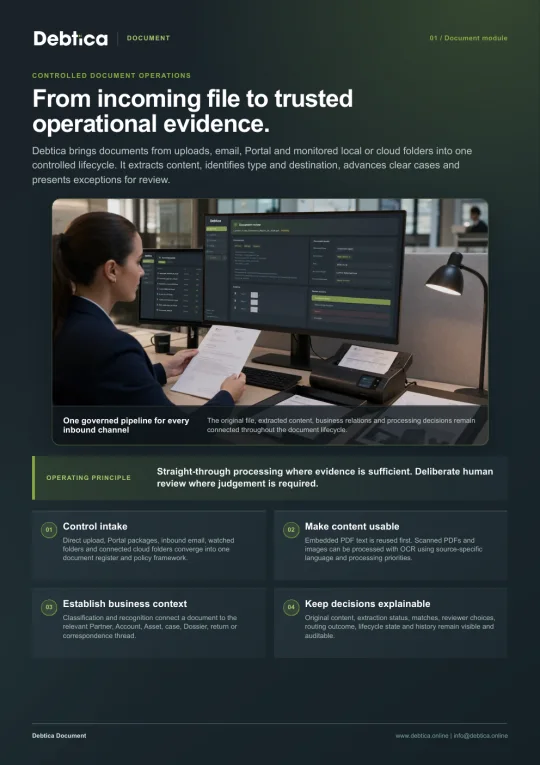
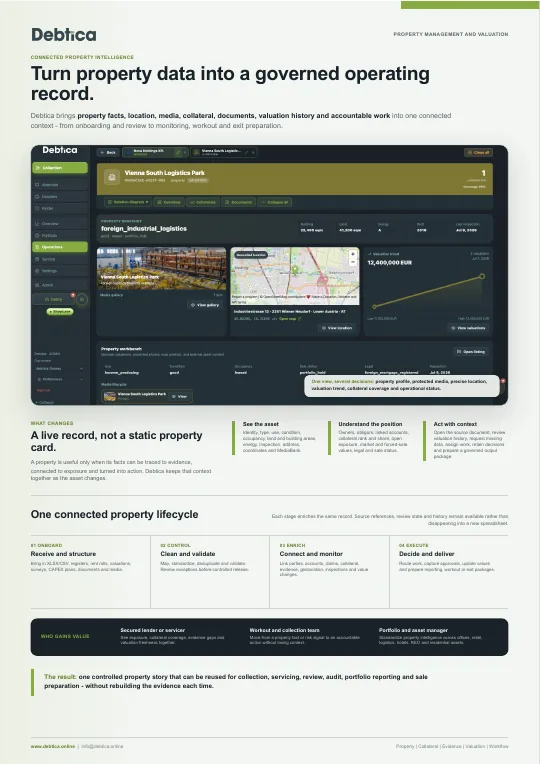
Use Document when contracts, statements, notices or evidence files need to become structured, traceable operational material.
Less manual review
Better routing
Evidence in context
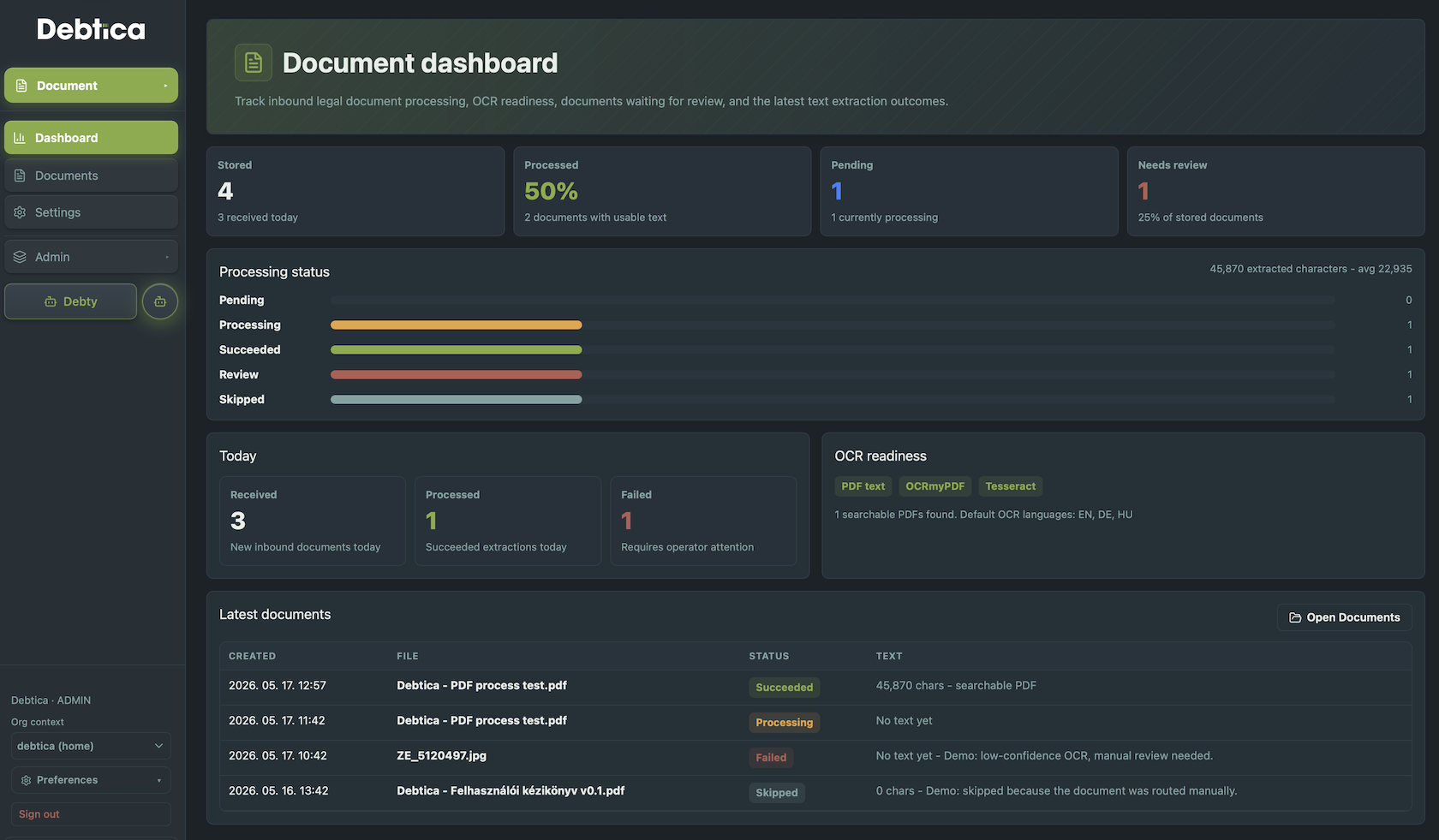
Module view
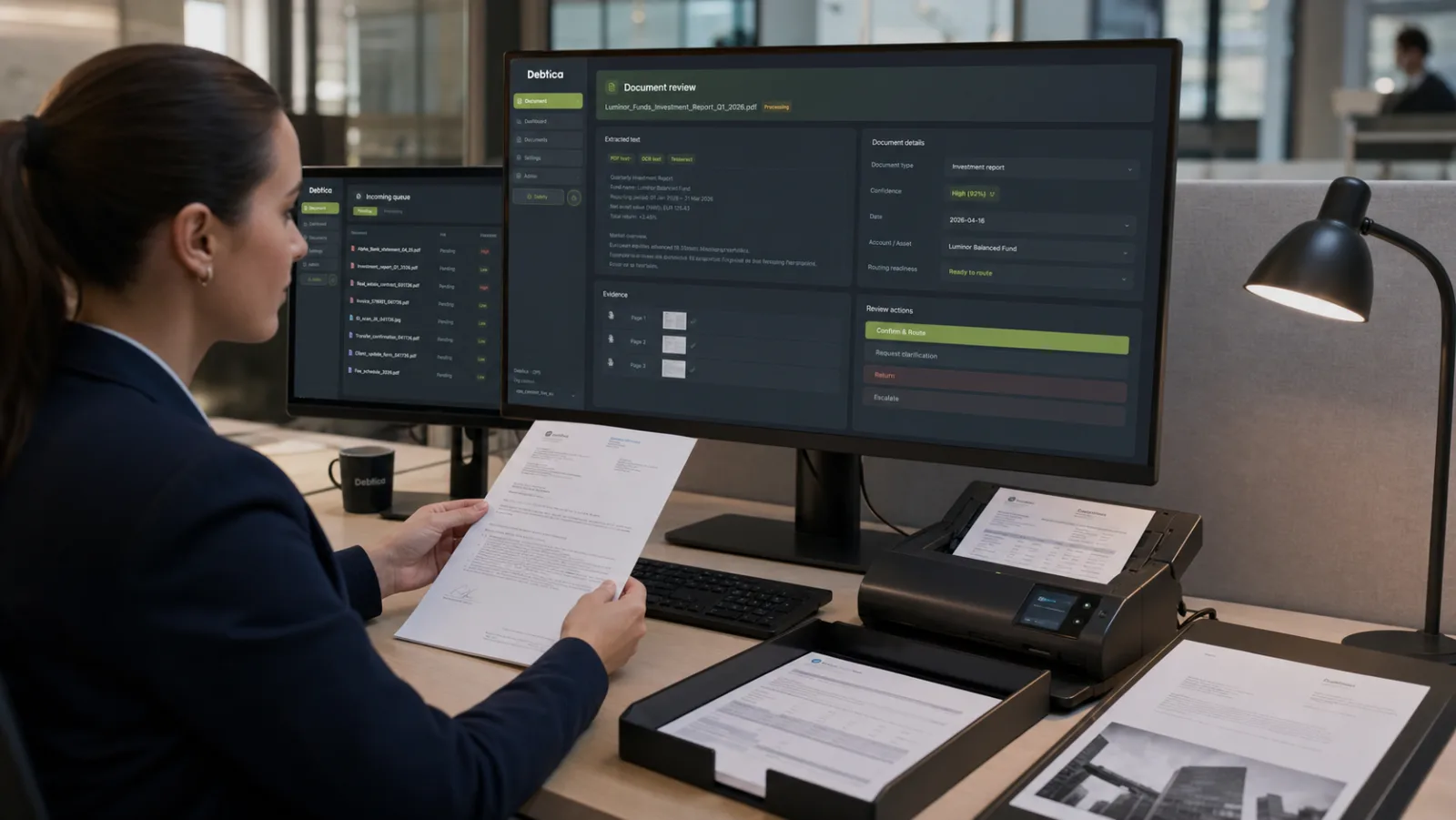
Document turns inbound files and supporting records into usable workflow context. OCR readiness, text extraction status, review needs and latest processing outcomes stay visible, helping teams move from uploaded material to searchable records connected to the right workflow.

What it handles
Bring documents into the debt data lifecycle with extraction, pattern detection, routing and audit evidence.
Document ingestion and text extraction for operational review.
Pattern detection for repeated document types and routing needs.
Evidence links from documents into migration, collection and reporting workflows.
Document Intake & Review Workspace
Document brings files into the debt data lifecycle with intake, extraction, recognition, review and attachment control. Teams can move from uploaded material to searchable, traceable records that support cases, returns, valuation work and operational decisions.
Direct Uploads
Watched Folders
Inbound Email
Review Queues
Direct upload, ZIP unpacking, watched folders and email sources
OCR readiness, text extraction and repeated pattern recognition
Confirm, classify, attach or mark files that need more work
Documents linked to partners, accounts, cases and workflows
The problem
Files often arrive through different channels and formats. Without intake control, review status and entity attachment, important evidence becomes hard to find at the moment it matters.
Uploads, folders and email attachments need one controlled intake pattern so files do not disappear into side channels.
A file is not operationally useful until its text, metadata, type and recognition status can be reviewed.
Documents must attach to the right partner, account, case or workflow so later users can trust the evidence path.
How it works
Document keeps file handling clear without forcing every document into the same review path.
Receive files through upload, ZIP unpacking, watched folders or inbound email.
Run OCR or text extraction and capture recognition signals for review.
Confirm document type, target entity, recognition status and reviewer notes.
Connect the file and processing evidence to the right workflow context.
Document features
From intake to evidence attachment, Document helps teams use files as part of the operational record instead of a separate archive.
Upload one or many files and keep each document as its own reviewable record.
Split packed document deliveries into separate inbound records before review.
Support folder-based or agent-based intake patterns where operational files already arrive.
Bring email-delivered files into the same review and attachment workflow.
Surface searchable text and processing status where users review the document.
Suggest likely document types or target entities from repeated identifiers and text patterns.
Confirm, attach, reclassify or hold unidentified documents with reviewer notes.
Use broad classes and concrete document types so filtering and reporting stay consistent.
Who it is for
Handle high-volume inbound files without losing review status or ownership.
Keep account and partner documents visible near the case work they support.
Attach return evidence and supporting records to controlled reporting workflows.
Confirm extraction, classification and attachment decisions before files are used downstream.
Operating model
Document can run as the focused intake and review module. When connected with other Debtica modules, it gives Migration, Collection, Report, Valuation and Marketplace workflows a shared evidence layer.
Standalone
Use Document to receive, classify, review and attach files even when no other Debtica module is subscribed.
Add other modules when documents should directly support cases, returns, valuation reviews or transaction data rooms.
Platform context
This module is designed to connect with the other Debtica modules through shared data, permissions and audit history.
Get in touch
Tell us which module is most relevant for you and we will prepare a walkthrough around your real workflow.
Share your details and tick Debtica updates if you want product notes as well.
Email is required. Phone is optional.